
Recent stable OpenTune APK downloads
The OpenTune APK versions table uses the same 15-second file confirmation as the homepage. Every URL points directly to an asset attached to an Arturo254/OpenTune release; this site does not mirror the APK files.
| Version | Released | APK file | Status | Download |
|---|---|---|---|---|
| 3.0.6 | August 2, 2026 | app-universal-release.apk | Latest stable | |
| 3.0.5 | July 14, 2026 | app-universal-release.apk | Superseded | |
| 3.0.3 | June 9, 2026 | app-universal-release.apk | Superseded | |
| 3.0.2 | May 24, 2026 | app-universal-release.apk | Superseded | |
| 3.0.1 | April 19, 2026 | app-universal-release.apk | Superseded | |
| 3.0.0 | March 30, 2026 | app-universal-release.apk | Superseded |
Why OpenTune 3.0.6 is the default download
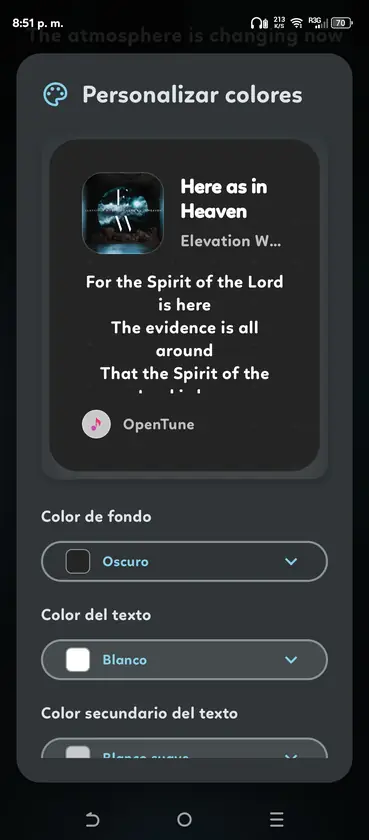
OpenTune 3.0.6 is the newest stable, non-draft and non-prerelease build returned by the official GitHub API. Its source tag declares versionCode 133, versionName 3.0.6, minSdk 26 and targetSdk 36. The release adds a multi-provider animated Canvas system, a V8 player style, a home-screen widget and updated audio-device controls.
Using the latest stable build generally gives you the newest service compatibility fixes and player changes. Open-source music clients depend on upstream endpoints that can change without warning, so an older APK may stop loading content even when it still installs correctly.
- Latest verified tag: 3.0.6.
- Package: com.Arturo254.opentune.
- Minimum Android version: 8.0.
- License: GPL-3.0.
- Official asset: app-universal-release.apk.
When an older OpenTune APK may be useful
An older build can be useful when a new player style behaves poorly on a particular device, a recent Android update introduces a regression, or you need to compare behavior while reporting an issue. That does not make the older release safer or more compatible with current online services.
OpenTune 3.0.1 has a small amount of direct search demand, but users looking for that version should first understand that 3.0.6 has replaced it. Version 3.0.1 was published on April 19, 2026 and remains downloadable from its official GitHub tag. Use the exact Release asset rather than a mirror that reuses the version number.
- Back up important application data before changing versions.
- Android may block a downgrade over a newer installed version.
- Uninstalling can remove settings, cached data and offline content.
- A release can install successfully but fail against changed upstream services.
- Old versions do not receive fixes after they are superseded.
How to verify a historical APK
Open the release tag and confirm that the asset belongs to github.com/Arturo254/OpenTune. Check the version label, asset filename, publication date and file size. Newer GitHub assets can also expose a SHA-256 digest. For older releases without a displayed digest, keep the GitHub asset URL and avoid copies from third-party hosts.
The asset filename changed during OpenTune's history. Recent 3.x releases use app-universal-release.apk, while some 2.x releases use app-release.apk and earlier builds used names such as app-foss-release.apk. This is why a reliable versions page must select the APK from each Release instead of constructing every URL from one filename pattern.
- Open the release page
Confirm the version tag under Arturo254/OpenTune and read the release notes.
- Inspect the asset
Use the attached APK, not Source code ZIP or TAR archives.
- Match the filename and size
Compare the downloaded file with the facts shown for that release.
- Scan and hash locally
Calculate SHA-256 when needed and keep the result with the release URL for later comparison.
Updating from an older OpenTune version
Normally, Android installs a newer APK over the existing package when the application ID and signing key match. Close playback, download the latest stable asset, verify it and open the file through Android's package installer. Your settings and database should remain, but a backup is still sensible before a major version jump.
If Android reports that the package conflicts with an installed application, do not immediately uninstall. First confirm the package name and source. A signature mismatch can mean the installed app or the new file came from a different publisher. Removing the installed app may delete data without solving the trust problem.
| Situation | Recommended action | Avoid |
|---|---|---|
| Normal update | Install the newer official APK over the current package | Clearing data without a reason |
| Downgrade blocked | Back up data and research the specific regression | Forcing a random modified APK |
| Signature conflict | Compare package source and signatures | Uninstalling before verification |
| Playback stopped | Check latest release notes and GitHub issues | Assuming an old version will always work |
How to choose between OpenTune APK versions
Most users should choose the first stable entry in the OpenTune APK versions table. The newest stable release combines the current application code, recent upstream compatibility work and the latest published fixes. A larger version number is not a promise that every device-specific issue is solved, but it is the supported starting point for installation and troubleshooting.
Choose an older version only when you can name the reason, such as reproducing a regression for a GitHub issue or testing behavior on a specific Android device. Record the version currently installed, read both release notes and keep a backup before changing packages. If the older build fails to load online content, return to the latest stable APK rather than trying progressively older files from mirrors.
The OpenTune APK versions listed here use official GitHub assets, but each release still deserves a source check. Confirm the tag, asset filename and publication date every time. The versions table is a navigation aid; GitHub remains the publisher of the file and the authoritative location for notes, digests and later corrections.
- Use the latest stable version for a new installation.
- Use an older version only for a documented compatibility test.
- Keep the official release URL with the downloaded APK.
- Back up before downgrading or uninstalling.
- Return to the latest release when upstream playback changes break an old build.
| Your goal | Best version choice | Reason |
|---|---|---|
| Install OpenTune for the first time | Latest stable | Current fixes and service compatibility |
| Update a working installation | Latest stable after reading notes | Normal signed in-place update path |
| Reproduce a reported regression | The affected historical tag | Matches the issue's test conditions |
| Solve a signature conflict | Do not switch versions yet | Verify the installed publisher and APK source first |
Official version sources
- OpenTune Releases - Complete release list and attached APK assets.
- OpenTune 3.0.6 tag - Latest verified stable changelog and APK.
- OpenTune source tree - Build configuration and tagged source for version 3.0.6.
OpenTune versions FAQ
What is the latest OpenTune APK?
The latest stable version verified on August 2, 2026 is OpenTune 3.0.6.
Can I download OpenTune 3.0.1 APK?
Yes. OpenTune 3.0.1 remains attached to its official GitHub Release. It is superseded by 3.0.6 and should be used only when you have a specific compatibility reason.
Why did the APK filename change between versions?
The project changed its build and release naming over time. Select the actual APK asset attached to each tag instead of guessing a filename.
Can I downgrade OpenTune without losing data?
Android and application database migrations may block or break downgrades. Back up first and avoid uninstalling unless you accept that local app data may be removed.
Are old OpenTune versions safe?
An official old APK has a traceable source, but it lacks later fixes and may use outdated integrations. Traceability does not make it the recommended release.