
Music discovery and search
Browse songs, albums, artists, videos and playlists through an interface designed around fast search and repeat listening.
Download the latest stable OpenTune APK for Android from the project's official GitHub Release. Review the exact version, file size, minimum Android requirement and SHA-256 checksum before installing.
This page does not repackage or mirror the OpenTune APK. The download button resolves to the APK asset published by Arturo254 in the official OpenTune GitHub repository, so you can match the file with the release record before installation.
OpenTune 3.0.6 is a universal Android package. The tagged source declares minSdk 26, which means Android 8.0 or later is required. Older descriptions that mention Android 6.0 do not match the current 3.0.6 build configuration.
Looking for an OpenTune APK download for PC? The official project publishes an Android APK, not a native Windows installer. Use the existing PC guide for emulator or Android-environment options, and keep this page for the verified mobile package.

Last verified August 23, 2026
SHA-2561ae255fa1fb07c92bd1287ce9169b260bbbbdd47993a1211e37dbf8f0040c214
OpenTune is an independent, open-source YouTube Music client built for Android with Kotlin, Jetpack Compose and Material Design 3. It provides a music-focused interface for browsing, playback and library management while exposing the source code under the GPL-3.0 license. OpenTune is not made, sponsored or endorsed by YouTube or Google.
The app combines online music discovery with practical player controls. The official project documentation describes background playback, synchronized lyrics, offline listening, playlist and library tools, audio normalization, silence skipping, tempo and pitch controls, appearance options and Android Auto support. Features can change between releases, so the current GitHub changelog remains the best source for version-specific behavior.
This site is designed for people who already know they want OpenTune and need a clear path to the correct APK. Instead of hiding the download behind unrelated pages, it places the verified file facts first, then explains installation, compatibility, version history and source verification in enough detail to make sideloading a deliberate choice.
These images come from the OpenTune 3.0.6 repository metadata. They show the actual Android interface rather than generated marketing mockups.
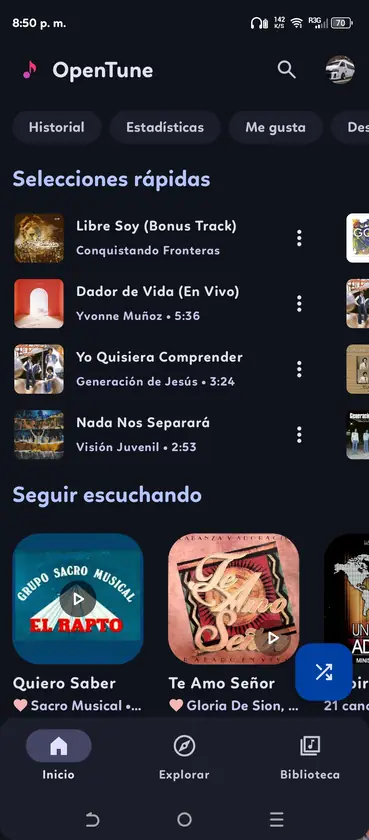
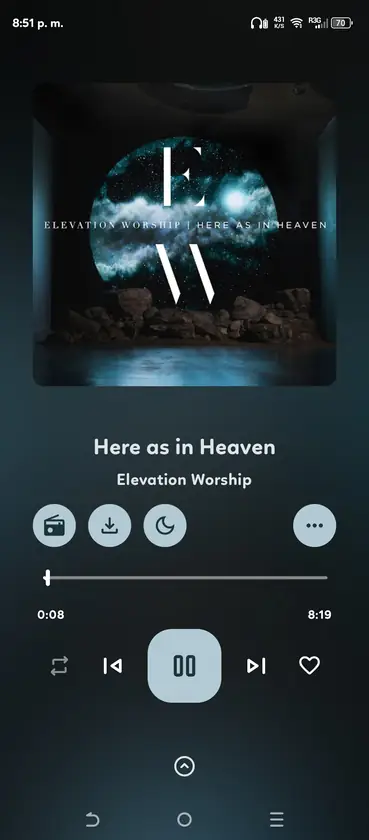
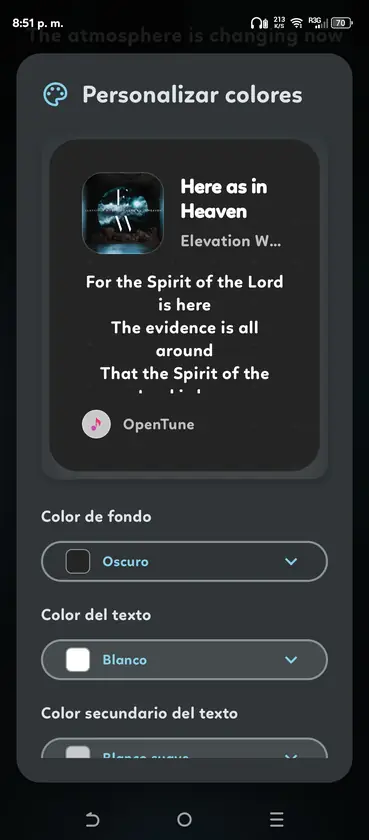
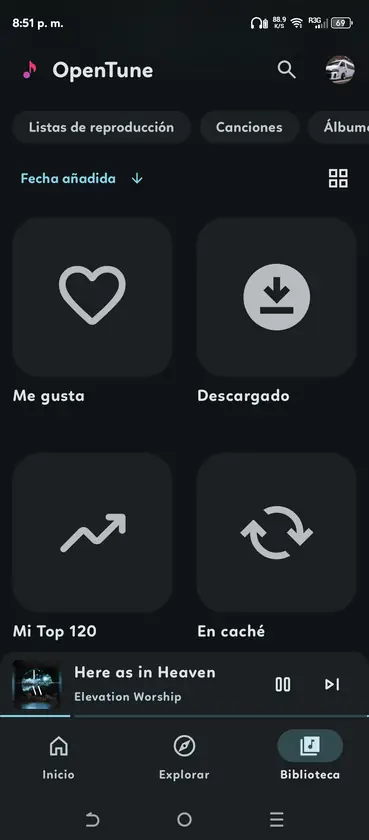
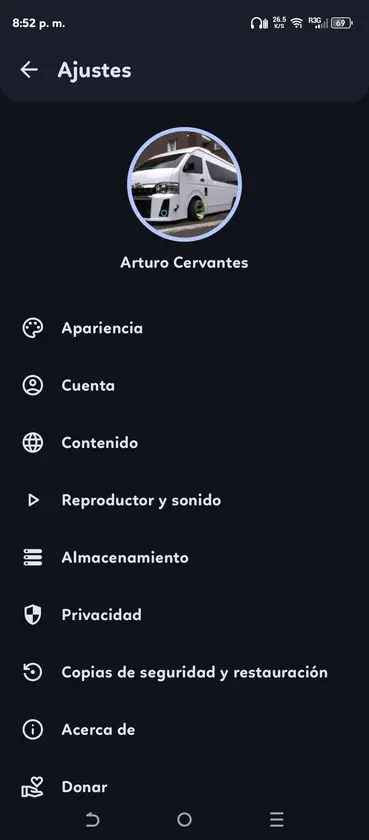
OpenTune focuses on listening, discovery and control without copying the official YouTube Music interface. Availability can depend on the selected release, Android version and upstream service behavior.
Browse songs, albums, artists, videos and playlists through an interface designed around fast search and repeat listening.
Continue playback while using other Android apps, with media controls available through the normal system playback surfaces.
Save supported music for later listening and manage downloaded content from the library. Storage use depends on your selected audio and cache settings.
Follow time-synced lyrics from the player when lyric data is available for the selected track.
The project documents volume normalization, silence skipping, tempo adjustment and pitch control for more flexible playback.
Choose from multiple player layouts, dynamic artwork treatments and appearance options built with Jetpack Compose and Material Design 3.
Use OpenTune through supported Android Auto media controls when your phone, vehicle and current build are compatible.
Organize liked music, albums, artists, playlists and recent listening from a dedicated library area.
Inspect the source, follow issues and review release activity in the Arturo254/OpenTune GitHub repository.
Version 3.0.6 concentrates on player presentation, animated artwork and home-screen control. The full GitHub notes include implementation details; the summary here focuses on changes users can recognize after installing the APK.
Because OpenTune integrates with changing music services, a recent release matters. If playback or metadata stops working on an old build, check the newest stable version and its issue tracker before reinstalling or clearing application data.
The artwork resolver can select animated backgrounds from supported Apple Music, Tidal and internal sources.
A new player option adds glass-style controls, a dynamic backdrop, next-track preview and updated progress controls.
A Jetpack Glance widget provides play, pause, previous, next, track information, artwork and progress.
The player can surface available Bluetooth, built-in speaker and wired audio outputs.
Spring interactions, metadata cleanup, caching and provider maintenance improve the overall experience.
OpenTune is distributed as an APK rather than through Google Play. Android therefore asks you to approve the browser or file manager that opens the package.
Confirm that the phone or tablet runs Android 8.0 or later and has enough free space for the APK and music cache.
Use the button on this page, review the file facts during the countdown and continue to the official GitHub asset.
If Android blocks the installer, allow installs from the browser or file manager you used. Do not enable every unknown source globally.
Open the downloaded APK, complete the system installer prompt, then review app permissions and playback settings before signing in.
The official 3.0.6 source targets Android and does not provide a supported Windows, macOS, Linux, iOS or browser package. A PC or Linux computer can only run the Android APK through a compatible Android environment, and that extra layer may affect media keys, audio output, account login and download storage.
Treat websites offering an OpenTune EXE, DMG, DEB or iOS IPA as unrelated unless the official repository announces that format. The old OpenTune Desktop repository is not a current supported download channel.
Android APK files can be modified and redistributed by third parties. Checking the source URL, filename, package name and checksum helps distinguish the official release asset from a renamed mirror. A matching SHA-256 confirms the downloaded bytes match the digest GitHub reports for that asset; it does not independently audit every behavior in the application.
If the version, file size or checksum differs, stop and return to the official Release page. Do not install a file simply because its icon or filename looks familiar.
Review the repository and verification detailsRepositoryArturo254/OpenTune
Packagecom.Arturo254.opentune
APKapp-universal-release.apk
LicenseGPL-3.0
SHA-2561ae255fa1fb07c92bd1287ce9169b260bbbbdd47993a1211e37dbf8f0040c214
Short answers about the download, current platform support and safe installation choices.
The latest stable release verified for this page is OpenTune 3.0.6, published on August 2, 2026. The page also performs a live GitHub check and falls back to the last verified build data if the API is unavailable.
The download resolves to the APK asset in the official Arturo254/OpenTune GitHub Release. OpenTune APK Wiki does not repackage or host a separate mirror of the file.
The 3.0.6 source sets minSdk to 26, so Android 8.0 or later is required. Older project descriptions that mention Android 6.0 do not describe the current build requirement.
The official project publishes an Android APK rather than a native Windows installer. You can review the existing PC guide for emulator or Android-environment options, but the verified download on this page remains the Android package.
There is no native Linux package. Compatible Linux systems may run the Android APK through Waydroid or another Android environment, subject to graphics, audio and account limitations.
No. OpenTune is an independent open-source client and is not affiliated with, sponsored by or endorsed by YouTube or Google.
Download the newer official APK and install it over the existing app when the package signature matches. Back up important settings or local data first, and do not uninstall unless troubleshooting requires it because uninstalling can remove application data.
Yes. The versions page links to historical APK assets published in official GitHub Releases. Older builds may contain fixed bugs, outdated service integrations or different Android requirements, so use the latest stable release unless you have a specific compatibility reason.