
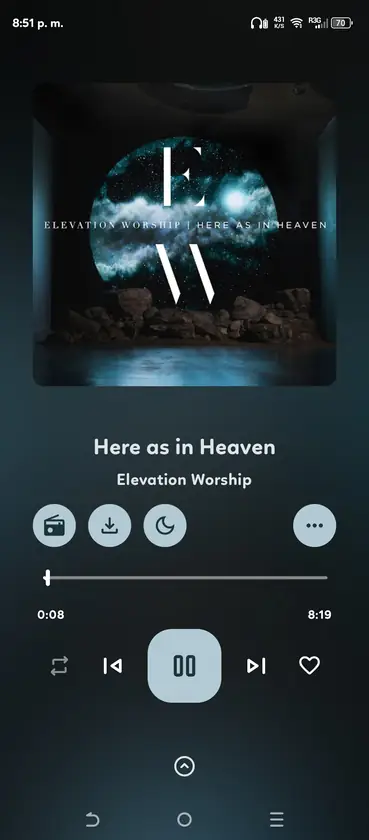
Is there an official OpenTune PC download?
No current Windows installer is published in the main Arturo254/OpenTune release feed. The supported asset is an Android APK with the package name com.Arturo254.opentune. The official project website also marks Windows as unavailable rather than offering an EXE download.
An older OpenTune Desktop repository exists, but it should not be treated as the current equivalent of the Android app. Its development status, features and release history are separate. A website that labels an unrelated EXE as the latest OpenTune PC version is not following the current Android release channel.
- Official current format: Android APK.
- Native Windows EXE or MSI: not available in the current release.
- Microsoft Store package: not available.
- Browser player: not provided by the OpenTune-Web website repository.
Ways to run OpenTune on Windows
The practical route is an Android emulator that supports sideloaded APK files. The emulator creates a virtual Android device, and OpenTune runs inside that device just as it would on a phone. Choose an emulator you trust, obtain it from its official publisher and keep virtualization support enabled in your PC firmware when required.
Windows Subsystem for Android is no longer a dependable recommendation for a new setup. Microsoft ended Windows Subsystem for Android and Amazon Appstore availability in the Microsoft Store on March 5, 2025. Existing installations may still be present on some computers, but they are not a stable long-term installation path.
| Option | What it provides | Important limitation |
|---|---|---|
| Android emulator | A virtual Android device that can install the official APK | Extra memory and CPU use; media integration varies |
| Windows Subsystem for Android | Android environment on some previously configured PCs | Microsoft support and Store availability ended in 2025 |
| Native Windows app | Normal Windows audio, storage and shortcuts | No current official OpenTune build exists |
| Web version | Playback in a browser | The official OpenTune-Web repository is a website, not a browser music client |
How to install OpenTune on a Windows PC
The exact buttons differ between emulator products, but the safe workflow is consistent: install the emulator from its publisher, create an Android 8.0 or newer virtual device, then sideload the verified OpenTune APK. Do not use an emulator's unofficial app catalog when the APK can be matched directly to GitHub.
- Prepare Windows virtualization
Check the emulator's requirements and enable hardware virtualization if the product requires it. Update graphics and audio drivers before troubleshooting OpenTune.
- Install a trusted emulator
Download the emulator from its official website. Decline bundled software and review its privacy, advertising and account requirements.
- Get the official OpenTune APK
Use the latest release link on this site. Confirm the version, filename and SHA-256 before moving the APK into the emulator.
- Sideload the APK
Use the emulator's Install APK action or drag the verified file into the Android window. Approve installation only for that file.
- Test audio and storage
Play a track, test pause and resume, inspect the download location and confirm that Windows audio output is routed to the intended device.
PC playback and account limitations
An emulator adds a translation layer between OpenTune, Android and Windows. Bluetooth device switching, global media keys, microphone access, Android Auto, background restrictions and local notifications may not behave like they do on a physical phone. Offline files are normally stored in the emulator's virtual Android storage, not directly in your Windows Music folder.
Account login can also depend on the emulator's WebView, Google components and network configuration. If a sign-in window fails, update the emulator image and WebView before repeatedly clearing OpenTune data. Never enter credentials into a modified OpenTune build or an emulator obtained from an untrusted download portal.
Performance depends more on the emulator than on the APK size. Allocate enough RAM and CPU for Android without starving Windows, and avoid running multiple virtual devices during audio playback.
- Media keys and system tray controls may be incomplete.
- Offline downloads remain inside virtual Android storage.
- Android Auto is not a meaningful PC feature.
- Audio latency can increase through virtualization.
- Emulator snapshots should not replace a proper backup of important app data.
OpenTune PC troubleshooting checklist
Treat an OpenTune PC setup as two separate systems: the Windows host and the virtual Android device. First confirm that the emulator can reach the internet, play audio and open a current WebView page without OpenTune. If those basic checks fail, changing the APK or clearing application data will not repair the emulator.
If OpenTune opens but playback is silent, inspect the Android media volume inside the emulator before changing the Windows mixer. Then confirm that the emulator is routed to the intended Windows output device. Bluetooth headphones can reconnect to Windows while the virtual device continues using a previous output path, so test the built-in speakers once to isolate device switching.
A frozen sign-in page usually points to the emulator image, Android System WebView, DNS filtering or certificate handling. Update the virtual Android image and WebView, temporarily test without a network-level content filter, and verify the system date and time. Do not install a modified APK to work around a broken login component.
For storage problems, check both free Windows disk space and free Android storage reported inside the emulator. The OpenTune PC window may show enough virtual space even when the host drive cannot expand the emulator image. Export or back up anything important before compacting, resetting or replacing that virtual device.
- Confirm audio works in another Android app before blaming OpenTune.
- Keep one emulator instance open while testing playback and downloads.
- Update the emulator image and Android WebView together.
- Check Windows and virtual Android storage separately.
- Record the OpenTune version and emulator version before reporting a bug.
| Symptom | First check | Useful next step |
|---|---|---|
| No sound | Android media volume and Windows output | Test built-in speakers, then reconnect Bluetooth |
| Sign-in page is blank | Android System WebView and date | Update the image and test normal DNS |
| Download fails | Virtual and host free space | Free space without clearing verified app data |
| Playback stops in background | Emulator battery restrictions | Allow background activity for OpenTune |
| Window feels slow | Assigned RAM, CPU and graphics mode | Close other virtual devices and compare renderer settings |
Official and authoritative sources
- OpenTune GitHub repository - Current Android source and release channel.
- OpenTune official downloads section - Current Android availability and unavailable Windows status.
- Microsoft WSA announcement - Windows Subsystem for Android availability information.
OpenTune for PC FAQ
Can I download OpenTune for Windows 11?
You can download the Android APK and install it inside a compatible Android emulator. There is no current native Windows 11 OpenTune installer.
Is there an official OpenTune EXE file?
No current EXE is published in the official Arturo254/OpenTune releases. Treat third-party EXE downloads as unrelated unless the developer announces a new Windows repository and release.
Will offline downloads appear in my Windows Music folder?
Usually not. They remain inside the emulator's Android storage unless that emulator provides an explicit shared-folder or export feature.
Why do media keys not work in OpenTune on PC?
The emulator must translate Android media sessions to Windows. Some emulators do not expose global media keys or background controls reliably.
Can I use OpenTune without an emulator?
Not as a native Windows application. The official application is built for Android.